

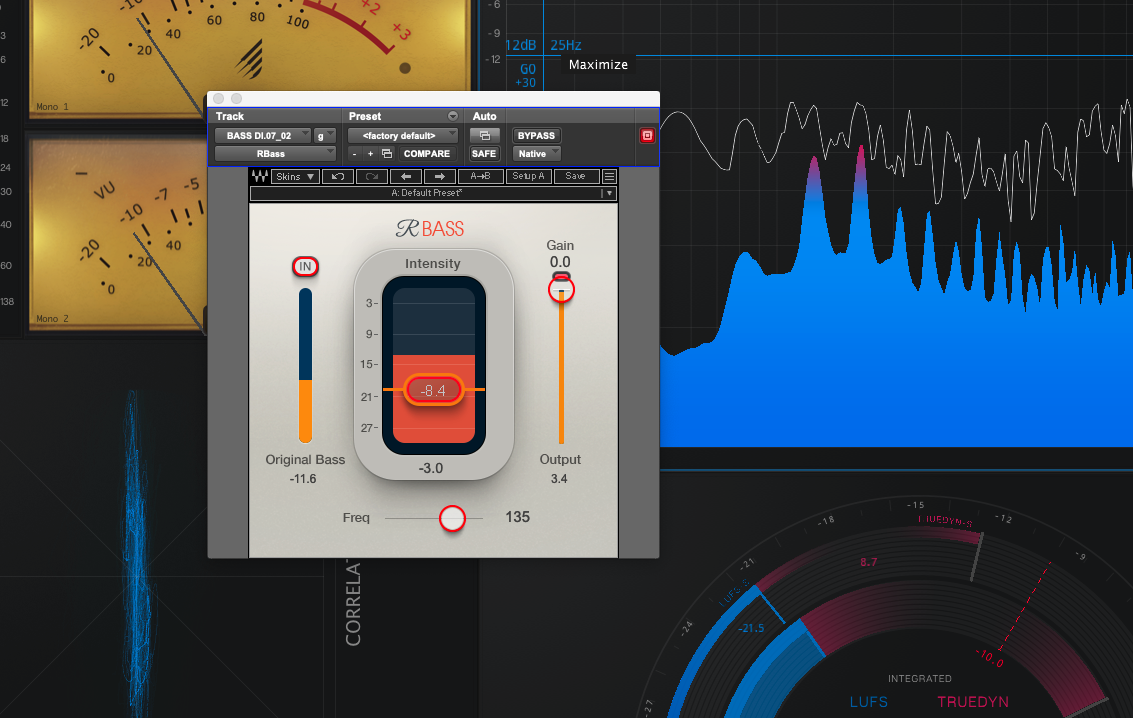
Waves markets the RBass plugin as delivering ‘rich bass, even over the smallest playback systems – with a super-easy interface’.
Like RVox, RComp, and RAxx, RBass has a very simple interface with just a handful of controls, whilst complex processing takes place under the surface. It’s a specialist tool designed to solve a very specific mix problem.
A big question for all of us is how do we deal with bass? There’s a lot of information down there.
Manny Maroquin
The Challenge with Bass
Bass instruments like bass guitars, sub-synths, and kick drums can be tricky to handle in a mix. Their fundamental frequencies can be very low, providing a solid foundation on full-range playback systems. However, this low-frequency energy often gets lost or creates mud if boosted excessively. It also doesn’t translate well to smaller speakers and playback systems that don’t reach down as low.
The two most common techniques to help bass cut through are using additive EQ in the upper frequency ranges or adding saturation or distortion to the signal. Both have their limitations.
Additive EQ can help a bass instrument cut through if it already contains information in the upper frequency bands, but it can’t manufacture something that isn’t there. Too much boosting can also lead to a thin-sounding bass that loses its weight and depth. Saturation adds harmonic content across the frequency spectrum, but with bass instruments, this often leads to a muddy low end. Frequency-specific saturation can help, but the fundamental frequencies still remain vulnerable to being masked or lost entirely.
The Psycho-Acoustic Solution
RBass is designed to create the perception of a beefed-up low end without the issues associated with too much low-frequency energy. It tackles common mixing problems like a lack of presence in bass instruments, muddy mixes, and poor translation on smaller listening devices by making use of a psycho-acoustic phenomenon: the plugin generates specific upper-frequency harmonics that trick the brain into perceiving a much deeper, more substantial low end than is actually present in the signal.
Using a precise harmonic process, RBass attenuates the original signal below a user-defined frequency threshold. It replaces this removed content with newly generated harmonics. Simultaneously, it blends these new harmonics with the original signal above the threshold. The result is a sound that feels weighty and deep but contains less low-frequency energy, making it easier to manage in a mix.
Controls at a Glance
RBass offers just a few key controls: Output Gain, Intensity, Freq, and a single switch labeled Original Bass IN.
With the Original Bass IN switch disengaged, the Freq slider, (adjustable from 32Hz to 256Hz), sets a crossover frequency below which the plugin removes the original signal entirely, replacing it with generated harmonic content. Above the crossover, the original signal is retained and blended with the harmonics generated in the upper frequency range.
Engaging the Original Bass IN switch places the full bandwidth of the original signal back into the plugin’s output path, blending the new harmonics with the original low-end content. This allows for a more subtle enhancement, and the overall output can be attenuated using the Output Gain slider for accurate A/B comparisons.
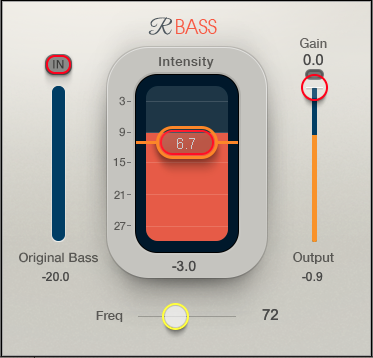
The Intensity slider adjusts how much harmonic content is generated. The meter behind the slider displays the sum of the original signal and harmonic content, minus any of the original signal which has been filtered out beneath the Freq crossover point.
It’s a potentially confusing set of control parameters to describe, but in reality, when you have even a passing understanding of how it works, RBass is actually pretty intuitive to get to grips with.
RBass in use
Reading the plugin marketing blurb and having a look through the RBass web page I was really excited to try it out. The promise of clear and full bass, seeming to extend deep down into the lower reaches of sub-bass territory whilst gaining upper frequency clarity and translation across devices sounded very appealing!
In practice, finding a good use for it, and then getting it dialled-in, requires some quite specific circumstances and a taming of my expectations. I found it works best on pretty clean, very low pitched signals; well recorded gritty electric basses that already have plenty of HF info might not get so much benefit from it.
I tried it on a sub-bass synth part that already had a small amount of distortion baked into the signal. The synth was very low pitched, with a sub-bass element that was slightly obscured by the distortion it contained in the upper frequencies, so I was faced with an unbalanced, scooped sound. RBass had the effect of evening out what I was hearing, seeming to beef up the low end significantly whilst retaining the buzz of the upper frequencies. It felt like it added vertical solidity to the signal, which definitely helped to give the sub-bass a more consistent and robust feel, and there wasn’t too much tweaking needed to get a sound I was pleased with. I can see me coming back to this plugin for similar situations in future.
Next I tried it on a recording of a real electric bass guitar. After quite a bit of fiddling around I started to like what RBass was doing; it was adding size and dimensionality that had previously been missing. It definitely works best on a sound that’s already close to what you want – this isn’t a magic bullet that can transform any bass instrument into the perfect sound for your production, and it’s not a tool for drastic tone-shaping – but as I worked with it, subtle manipulations of the controls added a really nice vertical size and solidity to tones that were already there but needed some enhancement. The bass guitar took on a bigger and fuller sound; the sub-bass element of it was filled-out, providing a broader base for the mix to sit on, and there was a subtle harmonic excitement going on which added some extra life to the sound.
A bit of research online suggests that RBass ‘enhances the perception of low frequencies in a signal by adding higher-frequency harmonics that the brain interprets as deep bass’, and after trying it out I certainly can attest to that.
Conclusion
Renaissance Bass is not a tool for drastic sonic transformations, it’s a specialist tool designed to do one specific job – ensuring your bass instruments are consistently heard and felt across a wide variety of playback systems – and it excels at that.
While it shines on the kinds of clean, low-pitched signals you might find in electronic music, film scores, or hip-hop, its ability to add a consistent low-end foundation without introducing mud is a valuable asset in any genre.
A key strength of RBass is its deceptive simplicity. With just a handful of controls, it provides a unique and effective, highly targeted solution to a fundamental mixing problem that if solved using other methods could turn into a complex and laborious task.
If you’re looking for an elegant way to solve the universal problem of bass translation, this plugin’s well worth checking out, and as always, I’d recommend you trial the plugin before buying it to make sure it’s really what you’re looking for.
RBass is frequently on sale and currently available for $39. It’s also available as part of Waves’ ‘Essential’ and ‘Ultimate’ subscription packages, and features in their Renaissance Maxx, Platinum, Diamond, Horizon and Live bundles.
You can check out the product page here:
https://www.waves.com/plugins/renaissance-bass
And you can view and download the pdf manual here:
https://assets.wavescdn.com/pdf/plugins/renaissance-bass.pdf