

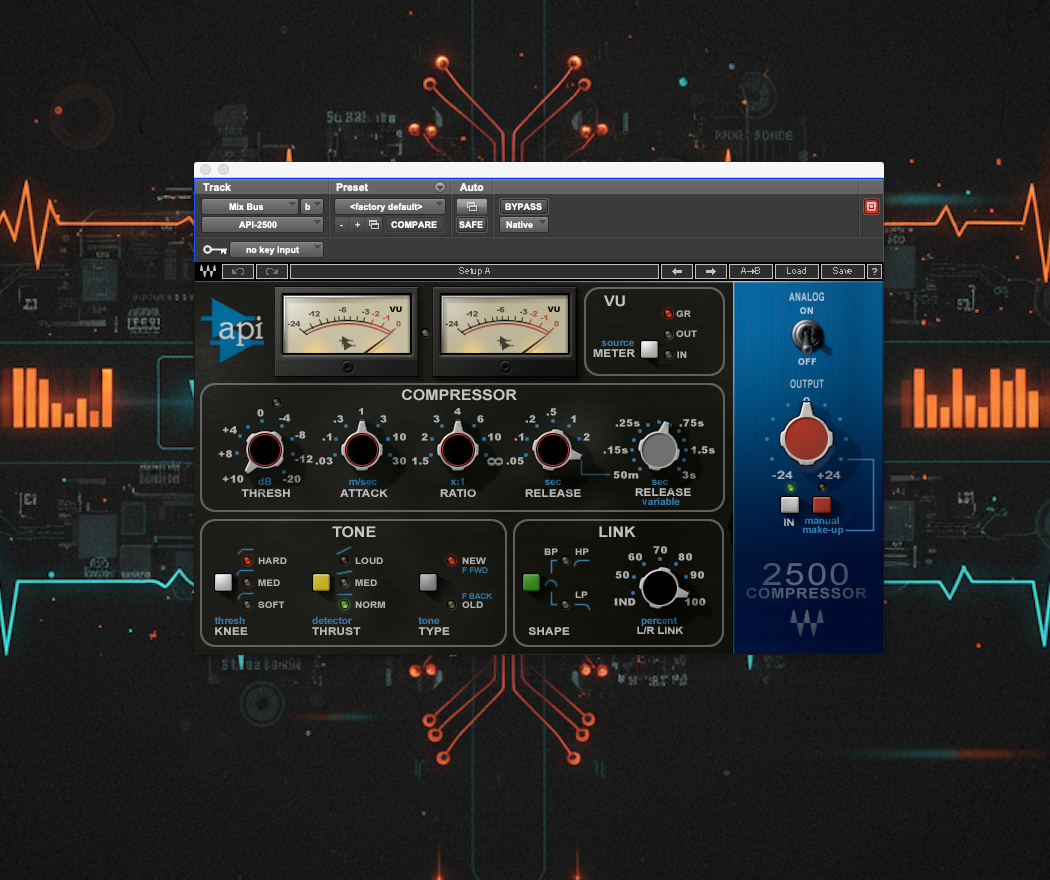
For over fifty years American pro audio company API have developed and manufactured some of the most well loved and high quality studio gear available. Their EQ modules in particular are synonymous with musical-sounding tone manipulation and are installed in some of the world’s most renowned studios.
So in 2001, when API released their stereo VCA ‘2500 Bus Compressor’1, engineers were excited to hear how this new piece of hardware would sound. It made an impression straight away and gained a reputation for rich and clean compression that worked well on pretty much anything; from individual tracks, to mix bus compression through to high-end mastering duties.
In 2020 API overhauled the 2500 and replaced it with the 2500+ which introduced blend and mix controls for wet/dry / parallel balance, extended the range of the threshold control for an extra 10dB at the top end, and gave the compressor an extra 4dbu of voltage at the output.
Waves released the API 2500 Bus Compressor plugin in 2007 as part of their ‘API Collection’; a suite of plugins developed in collaboration with API that includes modelled versions of the legendary 550A, 550B and 560 EQs.
At the time of release the API Collection was on sale for US$1,000, or $2,000 for the TDM version2 (a DSP version of the plugin designed to run on Pro Tools TDM systems); today, as I write, it’s on sale for $69 and each of the plugins are available separately for $29 in one of Waves’ regular sales. Waves don’t currently offer TDM versions of their plugins.
Loading up the plugin I was immediately impressed with how it looked. Obviously the most important factor in plugin choice is how it sounds and responds to the instrument you’re using it on, but how it looks, and so how easy it is to navigate and control, will have a role to play in how quickly and intuitively I can get the sound I’m after.
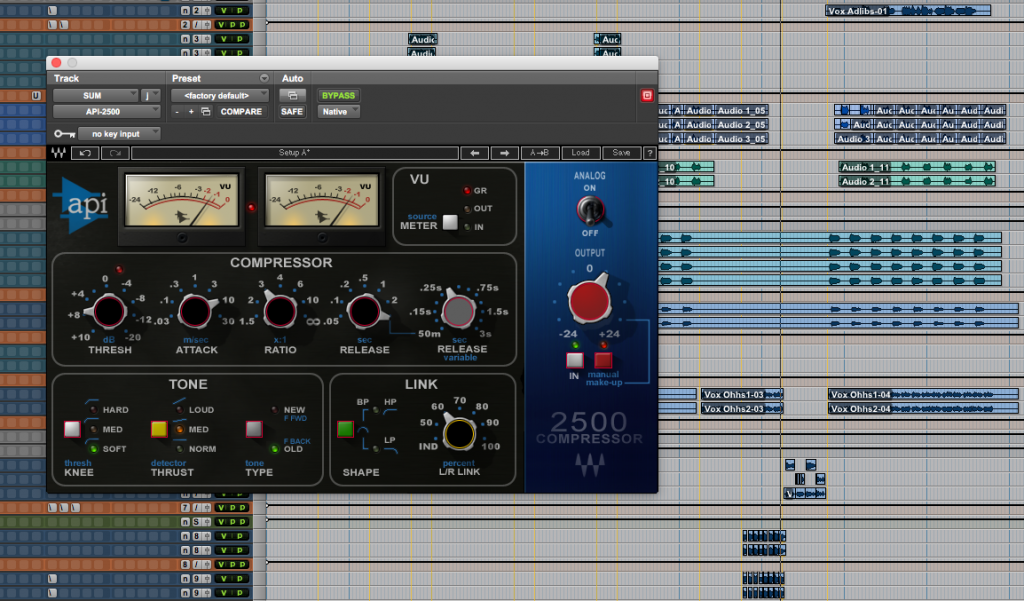
The API 2500 looks fantastic. It’s intuitively laid out with great metering and clear labelling, just like the original hardware.
Admin
Waves has done a great job with translating API’s hardware interface to a clearly laid out and easy to navigate plugin GUI. The standard compression controls of threshold (continuously variable from +10 to -20), attack, ratio and release (the first controls on the hardware version when scanning from left to right) are set out across the centre COMPRESSOR section of the plugin, just underneath the pleasingly realistic-looking analogue-style VU meters, TONE and LINK controls sit beneath, and to the right is the output section with options for automatic/manual makeup gain, compression bypass, OUTPUT trim and ANALOG modelling ON/OFF.
Controls: Attack, Release, Ratio, Output, Tone & Link explained
The ATTACK and RATIO controls are stepped (with attack adjustments from 0.03ms to 30ms and ratio selections from 1.5:1 to inf:1), and the RELEASE control can be operated stepped (0.05sec to 2sec, no auto-release) or set to a continuously variable mode with timings from 0.05 seconds to 3 seconds (at a 0.01ms resolution); so there’s a huge range of compression settings available.
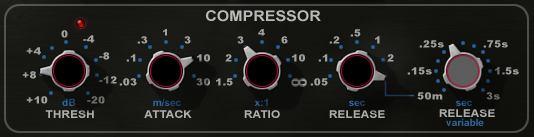
The THRESH and ratio controls are linked to the auto makeup gain feature (just like the hardware unit) which works really well, but can also be manually overridden if desired. Whilst we’re there – the output section has an IN button which is used for inserting or bypassing the dynamics control of the compressor whilst keeping the audio running through the rest of the unit’s circuitry.
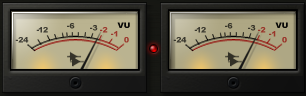
The meters are nicely responsive and can be set to show gain reduction, output level and input level. They’re big enough to show things clearly, and small enough to not take up valuable screen real estate. The clip light reacts to both input and output levels so if it lights up you’ll need to check both to find the over. Just click the light to reset it.
Thrusting tone!
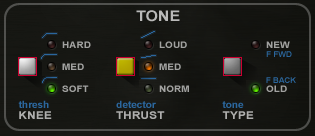
The TONE section is where things get interesting. Besides the KNEE control, (which selects how full compression is reached; by ramping into the set ratio gradually or by compression beginning immediately the threshold is breached), there’s a detector THRUST control and a tone TYPE control.
The detector THRUST control applies an EQ curve to the sidechain signal of the detector circuit. With THRUST set to NORM the sidechain signal is unaffected and the compressor responds to the full frequency range of the input signal. With the control set to MED a high-pass filter (at approx 200Hz) and HF shelf boost (from approx 3kHz) are applied to the sidechain signal causing the compressor to respond less to low frequencies and more to high frequency content, and when set to LOUD a linear tilt EQ is applied to the sidechain signal; rolling off the low frequencies and boosting the high frequencies to the tune of -15dB at 20Hz and +15dB at 20kHz.
The THRUST control greatly enhances the capabilities of the API 2500, especially when used on the mix bus where signals can be at their most complex and there can be lots of LF energy which would otherwise trigger a pumping effect from the compressor.
The third switch in the TONE section is the tone TYPE switch which offers options for ‘feedback’ OLD and ‘feed-forward’ NEW styles of compression: F BACK compression feeding the output of the VCA array, via the RMS detection circuit and compression controls, back into the VCA chip before being combined to produced the compressor’s output signal.
The F FWD circuit duplicates the compressor input signal, sending it to the detection circuit (which then feeds into the VCA chip) and into the VCA chip at which point the signals are combined and form the compressor output. The API manual illustrates the differences with diagrams if you’re interested to read more into these two types of VCA compression. The OLD style (used in 1176-type and (Fairchild) 660-type compressors) is said to result in a smoother compression sound when compared to the harder sound of the NEW style, and I can verify that this is the case. There are use cases for both and you’ll need to experiment with all the settings of the TONE section to hear how they interact with each other.
L/R Stereo Linking
Moving on to the LINK section, there are two controls here; SHAPE and percent L/R LINK. The API 2500 has two detector circuits; one for each side of the stereo signal. The L/R LINK control sets the degree to which the two detector circuits are connected (expressed as a percentage). Set to IND, each channel (controlled by a common set of compression parameters – shared between the two detectors) is compressed independently of the other. Set to 100% either one of the detectors (whichever side detects a signal breaching the threshold) can trigger compression of both sides of the stereo signal.
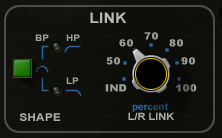
The SHAPE control adjusts whether those parameters are included in the link between the left and right detector circuits. Set to LP, the high frequencies that pass through the detector circuits are excluded from the link. Set to HP, the low frequencies that pass through the detector circuit are excluded from the link. Set to both, i.e. Bandpass (or BP), only the frequencies that fall between the HP and LP are allowed to activate the link between the two detector circuits.
The SHAPE controls need some experimentation to understand the benefits of filtering the link between the two detectors. It’s a subtle effect, as is the LINK setting, but can perform an important function in sculpting the stereo image of your mix.
Sound & performance: Vocals, Drums and the Mix Bus
I tried it on a female pop vocal first, and dialling in the settings I found straight away that the variable release was essential; the stepped release didn’t have the resolution I needed to hold the vocal in the sweet spot whilst letting it breathe. I used the TONE controls to experiment with the bite and presence of the vocal, and the F FWD / F BACK switch made the biggest difference here; the feedback option making for a clear and present up front vocal, whilst keeping everything in check. The feed-forward mode pushed her voice back into the mix and gave the impression of dulling the top end a smidge, although in reality this could have been a gain issue as the auto-makeup didn’t seem to properly compensate.
It was quick and easy to find a setting I was happy with, and I liked the sound of the compressor on her voice: clean and flexible compression which kept the tonal character whilst bringing things forward and levelling them out.
Next, I tried it as a drum bus compressor on a folk-pop track. The drums had been tracked really nicely on this one with a full and rich kick sound which had plenty of top to it, plenty of attack and a nicely controlled sustain, and the mix was in a good place before I added the compressor to the bus.
The snare was a mix of rimshot and full hits with a light touch, and the cymbals had been captured beautifully with nice tight hi-hats and plenty of separation where it was needed. It took a bit longer to get the API 2500 working as I wanted it here, and as with the vocal I quickly switched to a variable release to get the settings spot on.
The TONE controls were really useful for adjusting how much grab the compressor had, and in this case I found the F FWD setting was just what I needed to keep things under control whilst also keeping the life in the performance. The API did a great job of locking things into place and keeping the bounce, especially once I loosened up the stereo LINK which allowed the liveliness of the performance to shine through.
Next up, I tried it on the mix bus of the same track. I couldn’t get on with it in this context. A/B’ing it with the bx_townhouse that I switched it out for, the Townhouse just worked so much better; it tightened the bottom end, pulled things together and controlled them, and retained the depth that I had in the mix whereas the API felt aggressive and overpowering.
I moved on to a classic rock track to see if the API was a better match on the mix bus. It’s a track with a hard-hitting snare, gnarly guitars and an attitude-packed vocal. The API immediately felt good and with some adjustments sounded even better, imposing it’s clean and punchy character on an already punchy track. I really liked it.
Summing up
The API 2500 is a brilliant plugin. The TONE and LINK options are really valuable functions, there’s a huge range of use cases and, for the most part, I found it easy to quickly get a sound I liked. If you like to use presets as a jumping off point for finding your sound there are loads included.
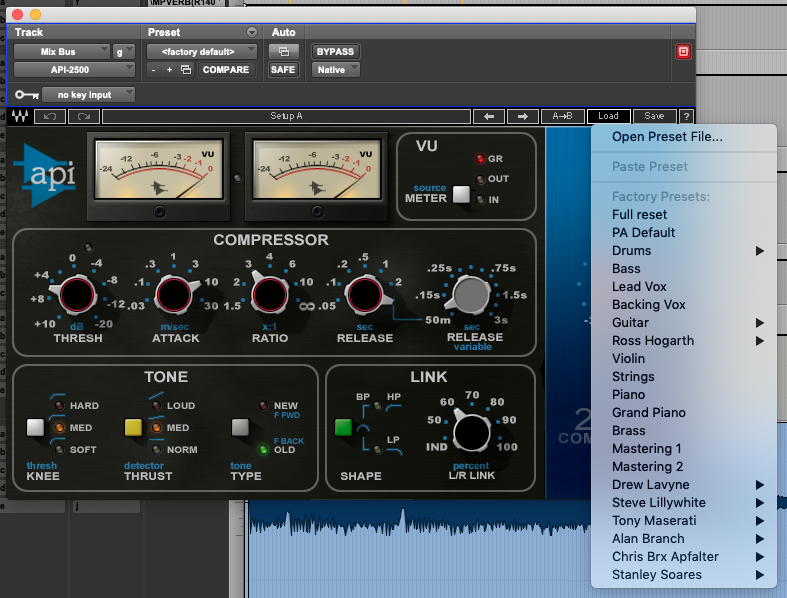
The knobs are all nicely responsive to mouse movements and so the plugin feels good to use. Compare this to the CLA-76 and CLA-2A, which have strangely geared and notchy-feeling pots, (on my system anyway), and the importance of good mouse-feel really becomes apparent.
The plugin’s been around a long while now, but the API 2500 is undeniably a classic that’s aged well and continues to sound great, and the upside of it being so old is that the CPU strain on a modern computer is very low. As for whether it sounds like the original hardware, Larry Droppa – president of API at the time of release – had this to say3:
Waves … have put forth a superb effort in maintaining the sound quality of the software. While we still believe nothing totally replaces the hardware, we are confident that the new software represents the heritage and lineage of API very well indeed.
Larry Droppa, President API
At its usual price of US$29 the API 2500 Bus Compressor is good value for money.
As always, the plugin manual is available to download here:
https://www.waves.com/downloads/manuals
..and the plugin is available for purchase on its own, as part of the API Collection, or to rent as part of Waves’ monthly/yearly subscription package, ‘Waves Creative Access’. You can check it out here:
https://www.waves.com/plugins/api-2500
References
- https://www.soundonsound.com/reviews/api-2500 ↩︎
- https://futuremusic.com/2007/06/waves-releases-the-api-collection/ ↩︎
- https://www.apiaudio.com/press.php?id=740 ↩︎