
A practical guide to the new Waves V17 preset system, StudioVerse Mix Unlock, plugin improvements, compatibility requirements, Waves Update Plan costs, and the question that matters most: should you update?
Introduction
Waves released V17 on 23 June 2026, bringing another catalogue-wide software update to one of the largest and longest-established plugin collections in professional audio.
Major Waves version numbers can be slightly confusing, because they do not necessarily indicate that every plugin has been rebuilt, remodelled or transformed. A Waves version update is partly about keeping a vast catalogue operational across changing operating systems, processors and DAWs, partly about introducing shared workflow improvements, and partly about adding new features to selected products.
V17 contains elements of all three.
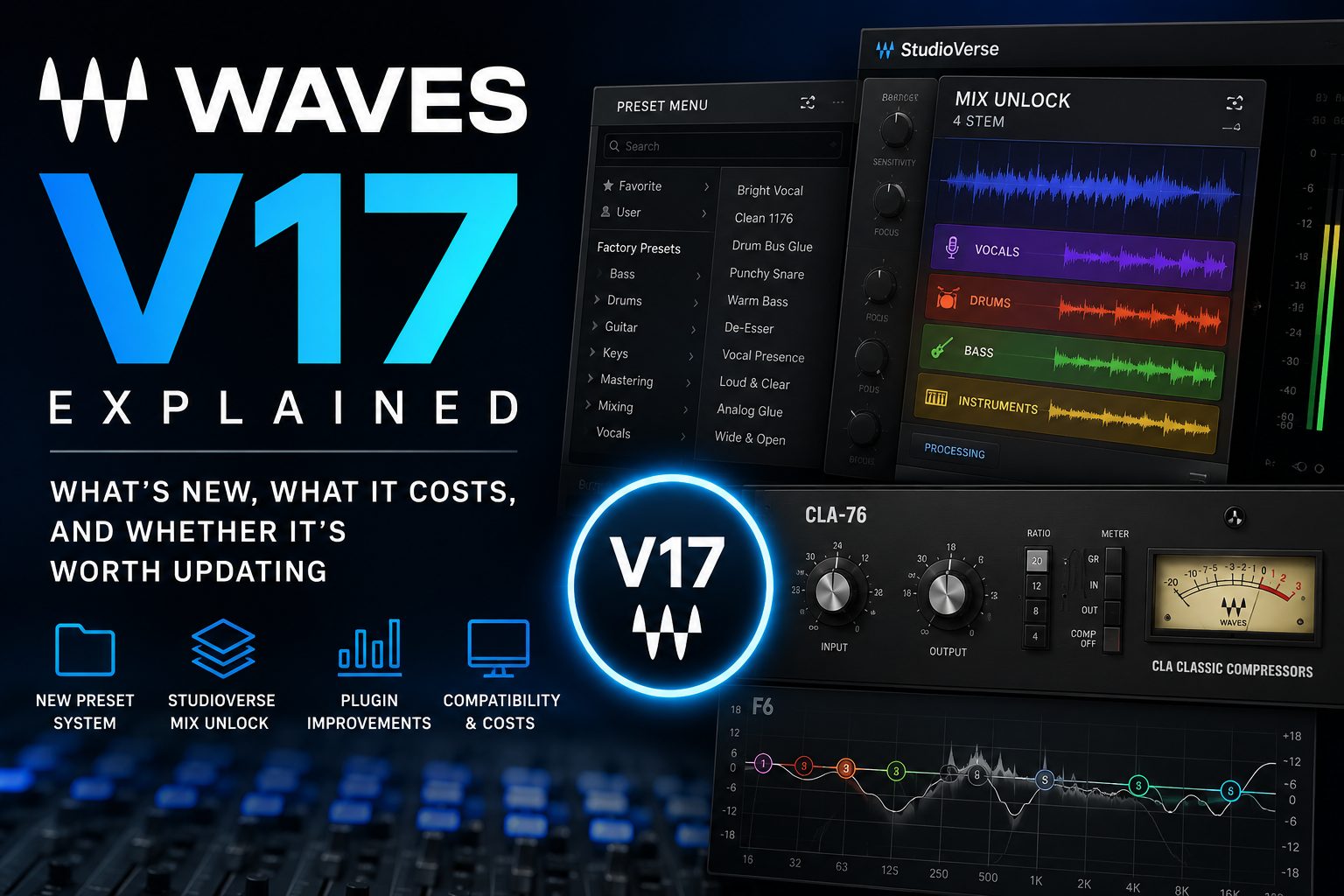
The most widely applicable change is a redesigned preset-management system across most of the Waves plugin catalogue. Several individual plugins have received useful new controls or interface improvements, a collection of compatibility and stability fixes sits underneath the more visible additions, and StudioVerse gains Mix Unlock: a new real-time stem-separation feature capable of dividing a finished stereo track into vocals, drums, bass and other instruments.
For existing Waves users, however, the interesting question is not simply what V17 contains. It is whether those changes justify updating a working system, especially if doing so means renewing Waves Update Plan coverage across a substantial plugin collection.
The answer depends on what you own, how current your computer is, whether your Update Plan is active, and which parts of V17 have genuine value in your day-to-day work.
For Creative Access subscribers and perpetual licence owners with current Update Plan coverage, V17 is a relatively straightforward proposition once system compatibility has been checked. For users whose older Waves installations remain stable and whose Update Plan has expired, the calculation is more personal. The new preset system may improve everyday workflow, Mix Unlock may open up genuinely useful possibilities, and future compatibility may eventually become essential, but none of those points automatically means that every studio should update immediately.
V17 is therefore best understood as a practical infrastructure and workflow update, with one conspicuous new creative feature attached. It is not a wholesale sonic reinvention of the Waves catalogue, and Waves does not present it as one.
What Waves V17 actually is
Waves V17 is the latest major software version for Waves plugins and plugin bundles.
It updates the underlying Waves plugin platform, adds compatibility with current operating systems and DAW environments, introduces shared improvements across much of the catalogue, and delivers targeted changes to selected plugins. If you update an existing CLA-76, Renaissance Compressor or H-Delay licence to V17, you are not buying a newly remodelled version of that processor. You are moving the licence and software onto the current Waves platform, with access to the relevant features and compatibility work that Waves has added.
This distinction matters because software-version upgrades can easily acquire a sense of mystery. There is sometimes an assumption that V17 must sound better than V16, or that opening an older session through the newest WaveShell will somehow modernise the processing inside it. That is not the central proposition here. Where Waves has made a specific functional change, it is identified in the release notes. Across much of the catalogue, the value lies in workflow, compatibility, maintenance and the ability to keep older tools usable within newer production environments.
V17 applies to plugins and bundles. Waves’ current applications, including eMotion LV1 and SuperRack, remain on V16, although Waves states that V17 plugins are supported within those V16 applications. This allows the plugin catalogue to move forward without forcing every connected live-sound application onto the same version number at the same time.
Users upgrading from V16 receive the V17 additions. Anyone coming from an earlier release also gains the significant features introduced in the intervening versions, which can make the update feel considerably larger. Depending on the starting point, that may include universal plugin resizing, updated high-resolution interfaces, MIDI Learn, preset favourites, new controls added to established processors, improved WaveShell loading, expanded StudioVerse functionality, and a range of product-specific refinements.
For somebody still running V12, V13 or V14, then, V17 represents more than the contents of the latest release notes alone.
The short answer: is Waves V17 worth updating to?
For users with an active Waves Update Plan, or a Creative Access subscription that already includes current software, V17 appears to be a worthwhile update once compatibility has been confirmed. The redesigned preset system affects a large proportion of the catalogue, the maintenance work helps keep the plugins aligned with current platforms, and Mix Unlock is being offered to V17 plugin owners as part of the launch promotion.
For perpetual licence owners with expired Update Plan coverage, the decision is less automatic.
If your Waves plugins already operate reliably on a stable studio machine, V17 does not create an urgent need to disturb that system. A working V14, V15 or V16 installation does not suddenly stop working because V17 exists, and your perpetual licences remain yours. The case for paying to update becomes stronger when you are moving to a newer computer, adopting a newer operating system or DAW, need one of the specific V17 improvements, want the current second-licence benefit, or see meaningful value in Mix Unlock and the new preset workflow.
The strongest reason to update is therefore not the number 17 itself. It is the removal of a real limitation in your existing setup.
That limitation might be compatibility, inefficient preset handling, a missing AudioSuite workflow, an ageing interface, a live-sound requirement, or the inability to manipulate elements within finished stereo audio. If none of those things currently affects you, waiting remains a perfectly defensible engineering decision.
A new preset system across most Waves plugins
The most consequential V17 improvement may also be the least spectacular on a product page: Waves has replaced its previous preset interfaces with a new unified Preset Menu across most of the plugin catalogue.
Waves plugins have accumulated several approaches to preset handling over their long history. Some use the familiar compact Waves preset menu, while newer products may offer a larger browser with search, filtering or more visual navigation. Long-term users have learned to work with these systems, but the experience has not always felt consistent from one generation of plugin to another.
V17 brings the capabilities of the older pop-up menu and the newer Preset Browser together. The new system can operate as a compact pop-up or in a detached view, adds text search and provides a clearer route through factory and user presets.
This is not the kind of feature that transforms a single audio example, yet it has the potential to improve hundreds of small interactions across a working year. Presets are often presented as tools for beginners, but experienced engineers use them constantly: as starting points, diagnostic references, ways of recalling specialist setups, or a quick means of exploring what an unfamiliar processor can do.
Search becomes especially valuable in plugins with large libraries. If you remember that a processor contains a useful dialogue, mastering, bass or parallel-compression preset, being able to find it by name or purpose is more efficient than stepping through several nested menus and hoping that the original categorisation matches the way you think.
The detached mode should also help when browsing needs to be more deliberate. A compact pop-up is ideal when you know roughly where you are going, whilst a persistent browser makes more sense when comparing a larger collection or organising your own presets.
There are exceptions. Waves lists Q-Clone, Curves Equator, Curves Resolve, the IR1 series, IR-Live, the GTR series, Waves Tune Real-Time, X-Noise and Z-Noise among the plugins that do not receive the new Preset Menu. Several of these have specialised interfaces or workflows that do not fit neatly into the common system.
For the rest of the catalogue, this is a welcome attempt to make plugins created across several decades feel more coherent. Waves has always benefited from consistency in its WaveSystem toolbar and plugin architecture; V17 extends that consistency into an area where the differences between older and newer products had become increasingly visible.
StudioVerse Mix Unlock: the headline feature
The most marketable addition associated with V17 is StudioVerse Mix Unlock, a real-time stem-separation system designed to work inside a DAW.
Mix Unlock can divide a stereo source into two stems, separating vocals from the remaining playback, or into four stems comprising vocals, drums, bass and instruments. The resulting elements can then be rebalanced and processed independently within StudioVerse.
The immediate applications are easy to understand. A mixer could adjust the vocal level in a supplied stereo backing track, reduce drums in a loop, create an instrumental version for rehearsal or content production, extract elements for a remix, soften an overly dominant bass part, or build new processing chains around parts of a recording that no longer exist as individual multitracks.
For post-production, broadcast and dialogue work, the attraction may extend beyond musical remixing. There are situations in which the only available source is a completed stereo mix, yet a client needs speech to sit more clearly, music to be reduced, or part of the balance to be altered. Stem separation does not recreate the lost multitrack, but it can sometimes provide a workable route into material that would otherwise be almost impossible to change.
The important qualification is that Mix Unlock is not a standalone plugin. It is a premium feature accessed inside the mono or stereo components of StudioVerse Audio Effects. Once licensed and installed, it appears as a module that can be added to a StudioVerse chain.
This distinction may initially confuse users who install the licence and then search their DAW’s plugin list for “Mix Unlock”. StudioVerse Audio Effects is the plugin that appears in the host; Mix Unlock lives inside it.
Waves describes the processing as real-time, allowing the separated components to be manipulated during playback. That integration is potentially significant. Many stem-separation systems operate through an export-and-import process, which can be useful but interrupts the flow of a mix. Keeping the operation inside a plugin makes it feel closer to ordinary signal processing, especially when the intention is to rebalance a source and continue working.
At launch, Waves is offering Mix Unlock free to owners who update or purchase any V17 plugin. It is otherwise a separately licensed StudioVerse feature and is included with Waves Creative Access subscriptions. Because the complimentary V17 offer is described as limited, anyone updating specifically to obtain Mix Unlock should check the current terms before making a purchase or renewing Update Plan coverage.
The central unanswered question is separation quality.
All stem-separation systems face the same fundamental challenge: the components of a finished mix overlap in frequency, time, ambience and stereo space. Vocals share harmonics with guitars and keyboards, bass instruments interact with kick drums, reverberation crosses the boundaries between sources, and heavily limited masters give the algorithm less clean information to work with.
A useful stem-separation tool does not need to generate perfectly isolated studio multitracks in every case. It needs to produce results that are clean enough for the intended job. A small vocal rebalance may tolerate artefacts that become obvious when the vocal is fully soloed, and removing part of a drum loop for a deliberately processed sample is a very different challenge from extracting pristine dialogue for broadcast.
Mix Unlock therefore deserves a dedicated listening test before any firm judgement is made about its audio quality. Its workflow is clearly attractive, and its inclusion gives V17 a creative focal point beyond maintenance and preset handling, but the real verdict will depend on how it behaves across dense music, sparse arrangements, reverberant vocals, mastered material and difficult speech sources.
Until that testing has been carried out, it is best viewed as a promising and unusually well-integrated tool, not as proof that the original stems are no longer necessary.
More control inside StudioVerse
Mix Unlock is accompanied by a substantial expansion of StudioVerse Audio Effects’ macro system.
StudioVerse can now support 13 pages of eight macros, providing up to 104 assignable controls within a chain. This gives chain designers far more room to expose the parameters that matter without forcing users to open every plugin individually.
Macros are one of the features that determine whether a multi-plugin environment feels like a useful instrument or a pile of processors placed inside a wrapper. A thoughtfully designed macro can control several related parameters at once, keep level changes compensated, or place the musically useful range of a complex setup onto a single knob.
With 104 assignments available, sophisticated chains can offer separate pages for tone, dynamics, ambience, modulation, level management and creative effects, whilst still leaving space for source-specific controls. It also gives engineers more freedom to build templates that other users can operate safely, with the underlying plugins protected from unnecessary adjustment.
Few users will need all 104 controls in an ordinary chain. The point is that StudioVerse is no longer likely to run out of exposed control before the chain itself runs out of complexity.
That expansion also helps Mix Unlock make sense as part of the StudioVerse architecture. The separated stems can feed a broader processing environment in which their balances, effects and key parameters are presented through a designed control surface, rather than functioning as an isolated technical process.
MondoMod receives a new interface
MondoMod is one of the clearest examples of Waves using a major version update to revisit an older product.
Originally released during a very different era of native plugin design, MondoMod combines amplitude modulation, frequency modulation and panning or rotation effects. It remains capable of producing movement ranging from subtle stereo animation to tremolo, vibrato and considerably stranger forms of modulation, but its previous interface made its age apparent.
V17 gives MondoMod a redesigned graphical interface.
An updated interface does not alter the underlying concept, yet it can have a meaningful effect on whether an older plugin continues to be used. Waves has a considerable back catalogue of processors whose audio functions remain valuable, even though their original graphics were created for smaller displays and older expectations of plugin workflow.
MondoMod is exactly the kind of plugin that can disappear from view, not because the processing has become irrelevant, but because newer tools present similar ideas more invitingly. A cleaner, more legible interface gives it another opportunity to earn a place in contemporary sessions.
The update also continues a pattern seen in recent Waves releases, where selected legacy plugins have received high-resolution or completely redesigned interfaces without being discarded and replaced by separate paid successors. That approach has genuine value for session continuity. Engineers can retain the processor associated with older projects whilst gaining a more usable modern presentation.
Useful improvements for studio, post-production and live sound
Several of V17’s most practical changes are targeted at specific professional workflows.
CLA MixDown gains a Link In/Out control, allowing its input and output levels to be adjusted together. This sounds modest, but linked gain adjustment is particularly useful in processors whose character changes as the input is driven. It becomes easier to explore more or less input saturation whilst keeping the output level controlled, which makes comparisons more reliable and reduces the influence of simple loudness differences.
WLM and WLM Plus gain AudioSuite support, enabling offline programme-loudness analysis in Pro Tools without requiring the entire piece to be played through in real time. For post-production, broadcast, audiobook and long-form programme work, this could save a meaningful amount of time. A loudness meter that must run through a 45-minute programme in real time is performing an important job, but it is also occupying 45 minutes. Offline analysis turns the same requirement into a much faster operation.
PSE, Waves’ Primary Source Expander, receives a 5 Hz frequency-shift option intended to increase gain-before-feedback on open microphones, along with an extended ducking range reaching down to minus 60 dB. PSE is primarily associated with live sound, conferences, houses of worship and other situations involving open vocal microphones. The new frequency shift is small enough to avoid an obvious change in pitch, whilst helping break the repeating acoustic loop that develops into feedback.
Renaissance EQ gains a real-time spectrum analyser in SoundGrid environments, while eMo Q4 receives an analyser in both native and SoundGrid use, complete with an offset control for adjusting the visual reference. F6 and Q10 also gain pinch control of filter Q in touchscreen workflows.
These changes will not matter equally to everybody, but they demonstrate that V17 is not solely a music-production update. Waves’ user base spans recording, mixing, live reinforcement, broadcast and post-production, and several of the most valuable additions are designed for particular corners of that wider ecosystem.
Sync Vx also gains VST3 and ARA support in Samplitude and Sequoia, extending its automatic vocal-alignment workflow into two hosts with substantial professional recording, mastering and broadcast user bases.
Improved native Apple Silicon operation
V17 moves several Waves products to more complete native operation on Apple Silicon.
COSMOS Sample Finder, Curves AQ, InTrigger, Key Detector, StudioVerse and Sync Vx no longer depend on a Rosetta 2 background process when used on Apple Silicon systems. Waves plugins have supported Apple Silicon for several versions, but some newer products or associated processes still relied on Rosetta behind the scenes.
Removing that dependency is useful even when the previous arrangement appeared to work. A production system is easier to maintain when every active component runs natively, and the eventual disappearance of translation layers is an inevitable part of any processor transition.
For engineers moving from an older Intel Mac to a current Apple Silicon machine, V17 therefore has value that may not be apparent from the plugin interfaces themselves. Compatibility work rarely creates an exciting screenshot, yet it is one of the main reasons long-lived software requires ongoing development.
V17 bug fixes and maintenance work
Alongside the new features, V17 includes a broad collection of fixes across the Waves catalogue.
These cover issues such as sidechain switching in Luna on Windows, conflicts in Pro Tools when Syncro Arts RePitch 2 is installed, preset behaviour in Waves instruments under Cubase and Nuendo, routing in immersive Logic Pro components, loudness-setting recall in L4, CSV logging in WLM Plus, parameter mapping in live applications, and several plugin-specific interface or automation problems.
The relevance of any individual fix depends on the system. A Logic user working in 7.1.2 may care greatly about corrected immersive routing, while somebody mixing stereo music in Pro Tools may never encounter it. A user affected by one of the named problems may find that a supposedly modest maintenance update removes a persistent and expensive interruption.
This is part of the challenge in judging an update such as V17 purely by its headline features. The visible additions are easy to describe, but a considerable amount of development work goes into keeping hundreds of products functioning across combinations of hosts, formats, operating systems, processors, control surfaces and live-sound platforms.
That work does not make V17 essential to a system that already behaves perfectly. It does explain why version maintenance matters over the longer life of a studio.
Waves V17 compatibility
Compatibility should be checked before licenses are updated or software is installed, particularly on a machine used for commercial work.
At launch, Waves lists V17 plugin support for macOS Sonoma 14, Sequoia 15 and Tahoe 26. On Windows, the supported systems are 64-bit Windows 10, specifically version 22H2, and Windows 11.
Waves publishes a separate Supported Hosts page covering qualified DAW versions. A host that supports VST3, Audio Units or AAX may still work even when it is not explicitly listed, but there is an important difference between something working in practice and the manufacturer having tested and officially qualified it.
The operating system and DAW must also support each other. A current version of a DAW running on an unsupported operating system does not become a qualified environment simply because each part appears separately on a compatibility list.
Studios should pay particular attention to connected software and hardware. Pro Tools systems may involve HD drivers, control surfaces and video peripherals; live systems can include SoundGrid servers, interfaces and console software; post-production rooms may depend on older codecs, synchronisation tools, metering applications or file-delivery utilities.
A plugin update should therefore be considered within the whole production system. The question is not only whether V17 supports your DAW. It is whether the complete room can move forward without losing something else that matters.
Waves states that current licences are backwards-compatible with older Waves software from V9 onwards, provided the product existed in the older version. This can provide useful flexibility, but it should not replace a sensible backup and rollback plan.
On any system where downtime has a cost, the safest approach is to confirm compatibility, preserve the existing installation or system image, complete current critical projects, and test the updated environment before relying on it in a booked session.
How Waves V17 works for Creative Access subscribers
Waves Creative Access subscribers receive the current software version as part of the subscription.
For those users, there is no separate Waves Update Plan calculation. V17 becomes available through Waves Central, and Mix Unlock is included within the Creative Access offering.
The remaining decision is technical, not financial: whether the current computer, operating system, DAW and connected production tools are ready for the update.
Subscription users may therefore have the simplest route to V17, but they should still avoid treating automatic entitlement as a reason for automatic installation. Access and readiness are different things.
How V17 works for perpetual licence owners
Perpetual Waves licences continue to belong to their owners after Waves Update Plan coverage expires.
If your current licence and installed software remain compatible with your computer and DAW, you can continue using them. An expired Update Plan does not turn the plugin off, convert it into a subscription, or remove the version you already own.
To move an older perpetual licence to V17, the licence must be covered by an active Waves Update Plan. If coverage remains current, the latest licence version can be obtained through the Waves account and the V17 software installed through Waves Central. If coverage has expired, it must be renewed for the products you want to update.
You do not necessarily have to renew every Waves product in your account. Coverage can be renewed for selected licences, although bundle ownership and possible upgrade paths can affect which option offers the best value.
New perpetual plugin and bundle purchases include one year of Waves Update Plan coverage, so a newly purchased product should already be eligible for the current version.
It is also worth separating major-version entitlement from maintenance releases within an existing version. Waves states that minor fixes and software updates for the version you already own can be installed without active Update Plan coverage. The paid decision arises when moving the licence to a newer major version or restoring the associated coverage benefits.
Our full guide to the Waves Update Plan explores the ownership model, second licences, bundle additions, costs and practical implications in considerably more detail.
What does it cost to update to Waves V17?
There is no single universal V17 upgrade price for perpetual licence owners.
Waves calculates Update Plan renewal according to the products and licences selected. At the time of writing, Waves states that annual coverage can begin at 12 US dollars for a product and is capped at 240 dollars when an account contains one licence of each selected product. Accounts containing multiple licences for the same products can exceed that cap.
The exact figure must therefore be calculated inside the owner’s Waves account.
That variability is one reason broad claims that V17 is either “free” or “a 240-dollar update” can both be misleading. It is free at the point of update for a Creative Access subscriber or a perpetual owner whose relevant products are already covered. It may cost a relatively small amount to renew one or two plugins, and it may approach the cap for a large collection whose coverage has expired.
The cost should also be judged against everything restored through the renewal period. Update Plan coverage includes current software versions, ongoing updates during the coverage term, a second licence for covered plugins and bundles, and eligibility for plugins added to certain bundles. Waves also provides a purchase coupon linked to the renewal amount, subject to its current terms.
For somebody who owns a large bundle and makes regular use of two computers, the second licence may form a significant part of the value. For a user with one studio computer and three inexpensive plugins that already work perfectly, the same benefits may carry much less weight.
Waves frequently runs promotions on Update Plan renewal, including a launch-period discount around the V17 release. Those offers change, so the sensible comparison is the account-specific renewal quote on the day you intend to update, not an advertised percentage remembered from an earlier campaign.
How to update Waves plugins to V17
The update process for perpetual licences has two distinct stages: updating the licence entitlement, then installing and activating the corresponding software.
First, confirm that the computer, operating system and DAW support V17. If the relevant perpetual licences are already covered by the Waves Update Plan, obtain their latest versions through the Waves account. If they are not covered, renew the selected licences before requesting the update.
Once the licences show as V17, open Waves Central, go to Install Products, select My Products, choose the products required, review the summary, then install and activate them.
Creative Access users can update their included products directly through Waves Central.
The process itself is not especially complicated. The greater risk lies in beginning it without first checking the surrounding production environment, or assuming that updating the installed software alone will convert an older licence entitlement into V17.
Licences and software need to match. A V16 licence can activate compatible V16 and earlier software, but it does not authorise V17 software. A V17 licence can activate supported earlier versions as well as V17, which is where the backwards-compatibility flexibility comes from.
Should you update if your Waves Update Plan is already active?
In most cases, yes, provided your system is compatible and you have chosen a sensible time to make the change.
The financial decision has already been made because current coverage includes the new version. The preset improvements apply widely, the bug fixes may improve stability, and the complimentary Mix Unlock licence strengthens the value of updating during the launch period.
Even here, there is no need to install V17 immediately before an important session. A version entitlement can be updated without turning a known production machine into a test environment at the least convenient moment.
Obtain the current licences, document the existing setup, check all connected software, then install when there is enough space in the schedule to verify old sessions and commonly used plugins.
Should you update from V16?
Moving from V16 to V17 is chiefly a workflow and maintenance decision.
V16 was already a meaningful update, adding universal drag-to-resize behaviour, improvements to COSMOS, Auto Makeup Gain in several classic compressors, redesigned interfaces for selected legacy products and other catalogue-wide refinements.
V17 adds the unified preset system, Mix Unlock access, the StudioVerse macro expansion, selected plugin improvements and the latest compatibility work. That is a useful package, but it may not feel transformative to someone who does not use presets heavily, has no need for stem separation, and is unaffected by the targeted changes.
With active Update Plan coverage, there is little reason to remain permanently on V16. With expired coverage and a stable system, V17 is attractive without being compulsory.
Should you update from V14 or V15?
The argument becomes stronger when moving from V14 or V15, because the update includes the accumulated changes from subsequent releases.
Universal resizing alone can materially improve older Waves plugins on current displays. StudioVerse has developed significantly, a number of classic processors have gained new controls, several legacy interfaces have been refreshed, and compatibility work has continued through changes in DAWs, operating systems and Apple Silicon support.
A user moving several generations at once should evaluate the complete list of additions since the installed version. Looking only at the V17 launch page understates the size of the change.
The corresponding caution is that a larger software jump deserves more thorough testing. Sessions created across several Waves generations should be opened and checked, especially where the studio depends on automation, surround routing, control-surface mapping, older plugin components or unusual host configurations.
Should you update a stable professional studio?
A stable professional system should be updated for a defined reason and at a controlled time.
Commercial studios live with a tension that home users do not always face. Keeping software current reduces long-term compatibility risk, but changing a dependable room introduces short-term operational risk. Neither “always update” nor “never update” is a serious policy on its own.
V17 may be a sensible step if the studio is already preparing an operating-system or DAW upgrade, moving to new hardware, experiencing a problem addressed by the release, or standardising multiple rooms onto a current Waves version.
It may be sensible to wait if the facility is in the middle of a long production, relies on older unsupported software elsewhere in the chain, or has no immediate need for the new features.
The practical approach is to treat V17 as part of planned system maintenance. Review compatibility, preserve a restorable copy of the known system, update a secondary room or test machine first where possible, then move the main system once representative sessions have been verified.
That is not excessive caution. It is ordinary studio engineering.
Who gains the most from V17?
Producers and mixers who use presets extensively may feel the benefits of the new menu every day. The improvement is spread across enough plugins that small time savings can accumulate into a noticeably smoother experience.
Remixers, content producers, sample-based musicians and engineers frequently handed incomplete assets have the clearest reason to explore Mix Unlock. The ability to rebalance a finished stereo source from inside a DAW could solve problems that currently require a separate application, an offline service, or a difficult conversation with a client who no longer has the original session.
Post-production users may find AudioSuite loudness analysis in WLM Plus among the most valuable additions in the entire release. Time saved on long-form measurement is practical, measurable and easy to justify.
Live engineers gain targeted PSE, analyser and touchscreen improvements, along with the continuing compatibility work needed to keep Waves plugins functioning inside current SoundGrid environments.
Apple Silicon users benefit from the removal of remaining Rosetta-dependent background processes in several newer Waves products.
Owners of older perpetual licences may gain the broadest collection of improvements, although they are also the users most likely to face a meaningful Update Plan cost.
Who can reasonably wait?
Users with a stable offline or deliberately frozen studio can wait if V17 does not solve a current problem.
A producer who owns a small collection of Waves plugins, rarely uses their presets, has no interest in StudioVerse, and plans to remain on the present operating system and DAW gains relatively little from updating immediately.
The same applies to studios approaching the end of a major project. Even a well-tested software release can wait until the work has been delivered.
Users should also wait if an essential DAW, operating system, control surface, video device or connected application has not yet been qualified for the intended configuration. The fact that V17 is current does not make an unsupported system safer.
Waiting does not close the door. Waves allows expired Update Plan coverage to be renewed later, and perpetual licences continue to operate on compatible systems in the meantime.
Is Waves V17 a good update?
V17 is a sensible, professionally focused update whose value is distributed across workflow, maintenance and specialised improvements.
The new Preset Menu is likely to have the widest day-to-day impact. It addresses an area of inconsistency across the Waves catalogue and should make both factory and user presets easier to navigate. It is not glamorous, but good workflow rarely needs to be.
Mix Unlock supplies the release with a more ambitious creative feature. Real-time stem separation inside StudioVerse could become extremely useful for remixing, repair, content creation and working with incomplete source material. Its convenience is already apparent; its ultimate value will depend on the quality of the separation across real-world programme material.
The individual plugin changes are well chosen. Offline loudness analysis, extra feedback control, linked drive and level adjustment, touchscreen improvements, expanded host support and redesigned legacy interfaces each address recognisable working needs.
There is no single feature that every Waves user urgently requires, and no convincing reason to update a stable commercial system without first checking compatibility. V17 earns its place through the combined weight of many improvements, not through a claim that the entire catalogue has suddenly acquired a new sound.
Final verdict
Waves V17 is best viewed as a careful modernisation of the Waves ecosystem.
It improves the way presets are found and managed across most of the catalogue, moves more products towards fully native Apple Silicon operation, fixes a broad range of host and plugin issues, extends several professional tools, and introduces a potentially powerful real-time stem-separation workflow through StudioVerse Mix Unlock.
For Creative Access subscribers and perpetual licence owners with active Update Plan coverage, it is an easy update to recommend once the system has been checked and an appropriate installation window chosen.
For perpetual licence owners whose coverage has expired, the verdict depends on need. V17 becomes compelling when it enables a required operating-system or DAW move, resolves a known problem, restores a valuable second licence, adds important features to tools you already use, or gives you practical access to Mix Unlock. If your present installation remains reliable and none of the additions changes your work, there is no penalty for waiting.
That may sound less exciting than treating every major version as essential, but it reflects the way serious studios tend to approach software. Tools should be updated when the update makes the system more useful, more maintainable or more secure in its future.
V17 makes a credible case on all three fronts. Whether that case is strong enough today depends on the system in front of you.
Further reading
Waves V17 release information
Waves’ official V17 overview provides the launch summary, headline additions and update routes for Creative Access subscribers and perpetual licence owners.
Waves V17 release notes
The complete release notes contain the authoritative list of new features, individual plugin changes, compatibility improvements and bug fixes.
Waves V17 frequently asked questions
Waves’ V17 FAQ explains current compatibility, licence ownership, Update Plan requirements, second licences and the routes available for obtaining V17.
StudioVerse Mix Unlock
The official Mix Unlock product and support pages explain its two-stem and four-stem modes, its real-time operation, and how it is accessed inside StudioVerse Audio Effects.
Understanding the Waves Update Plan
Our in-depth guide explains why the Waves Update Plan exists, what happens when coverage expires, how renewal costs are calculated, and how to decide whether maintaining coverage makes sense for your own studio.